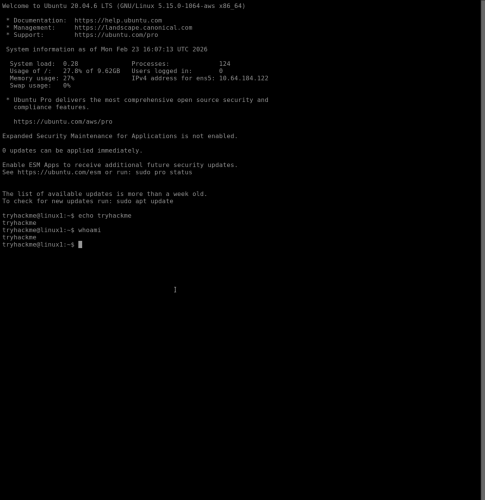
1. This demo is done using a text-based Linux terminal that doesn’t use a GUI (Graphical User Interface). The echo command is used to output any text that is provided, and the whoami command is used to see which user is currently logged in.
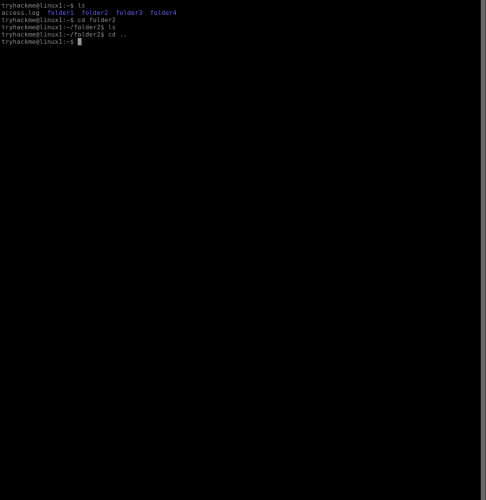
2. The ls command is used list the contents of the current directory, and the cd command is used to change directory (in this case folder2). Typing the command “cd ..” will go back to the parent directory of folder2.
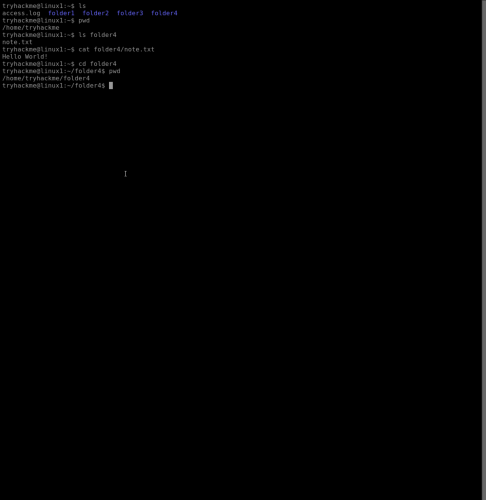
3. This example uses the command pwd to print the full path of the current working directory. The ls folder4 command reveals a note.txt, and the cat folder4/note.txt command will concatenate the note.txt in folder4 to output the contents of the text file.
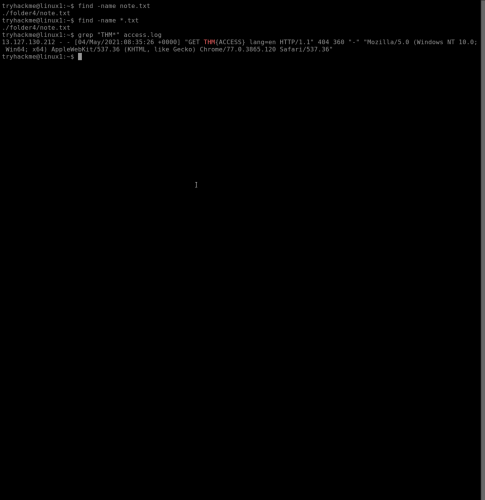
4. The find command is useful for finding specific files. This example uses the command find -name note.txt to locate the note.txt file in folder4. The grep command is a more advanced search that can search servers and IP addresses for specific files.
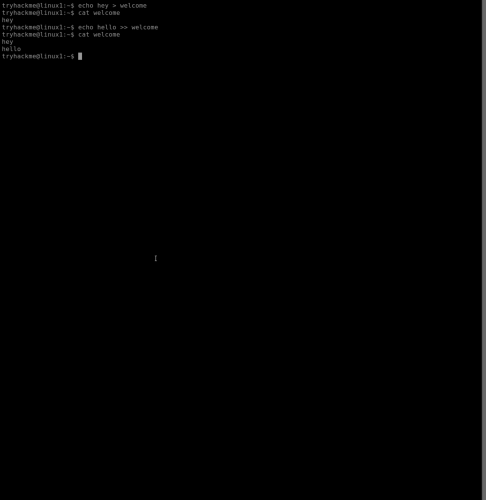
5. This example demonstrates the “>” operator which is an output redirector. When the echo hey > welcome command is used, the hey files becomes the welcome file. Using the cat welcome command will now result in a hey output. The “>>” operator will append the output of the bottom file, and the command echo hello >> welcome will result in hey hello when the cat welcome command is used.
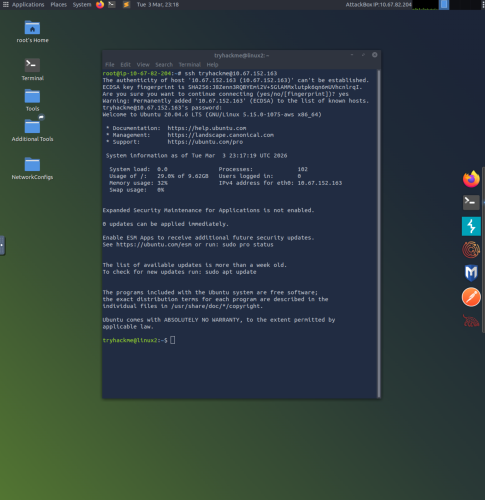
6. This example uses terminal in a version of Linux with a GUI. The Secure Shell (SSH) command is used to connect to and interact with the command line of a remote Linux machine. The command ssh tryhackme@10.67.152.163 uses the tryhackme credential to login at the associated IP address of 10.67.152.163. Once the password has been input, the command line can be run as the tryhackme user.
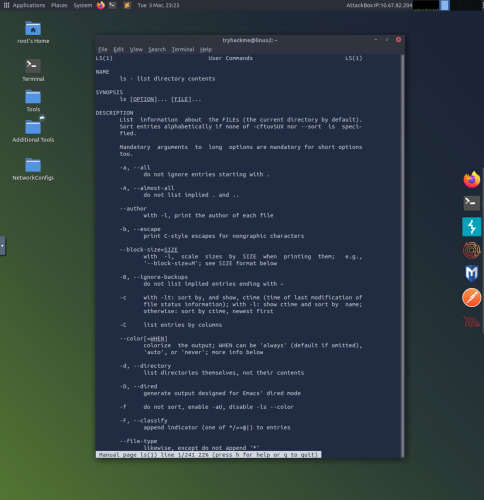
7. This example uses the man ls command to see the manual for ls, which documents many useful commands that can be used with the ls command.
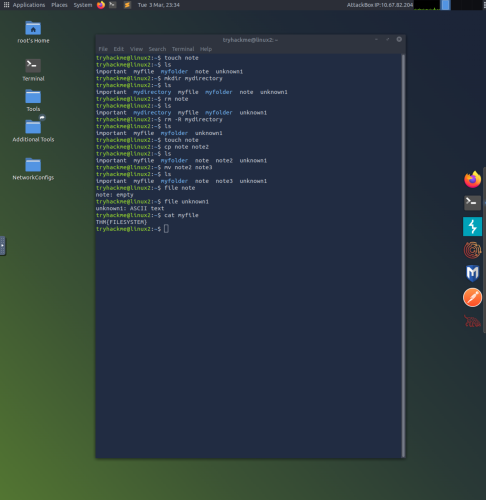
8. This example demonstrates the use of many different commands such as; touch (creates a file), mkdir (creates a directory), rm (removes a file), cp (copies a file), mv (moves and replaces files), and file (determines file type).
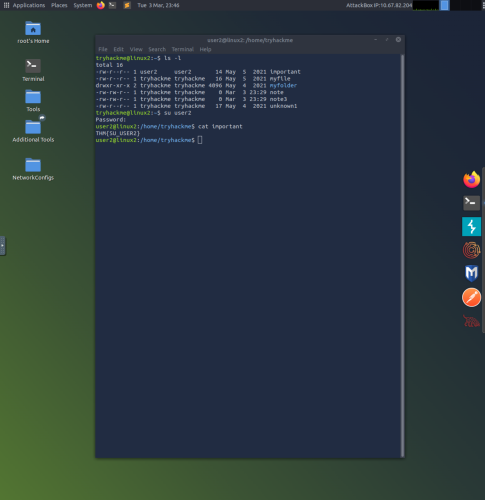
9. The ls -l command is used to list the contents of the directory which shows the read, write and execute permissions for the owner, group and others. The su command is used to switch users, and in this case the command su user2 is used to switch to user2 after being prompted for a password. Since the important file is owned by user2, cat important can be used to see the contents of the file.