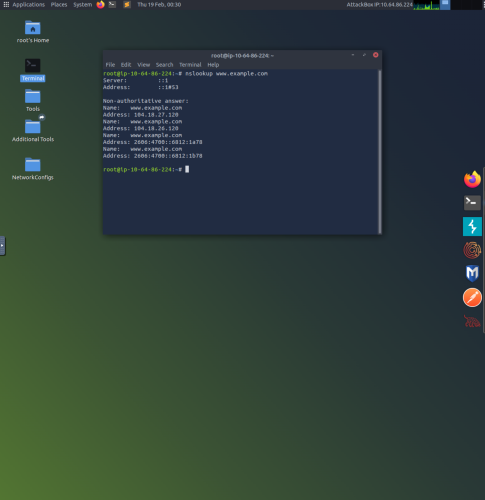
1. Running the Linux terminal with the command “nslookup example.com” provides insightful information such as the A record IPv4 addresses and the AAAA record IPv6 addresses.
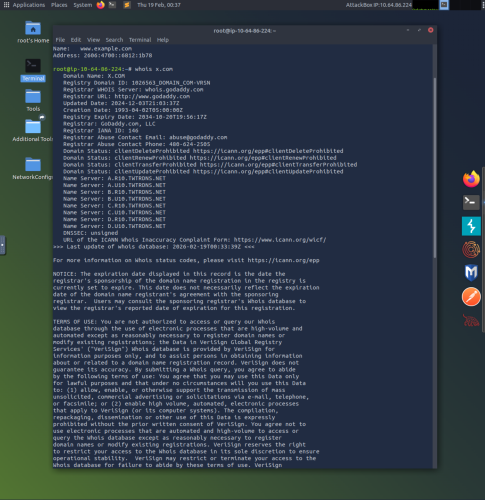
2. Using the command whois provides useful records of any registered domain name (in this case x.com). Whois provides information about the entity that registered the domain, phone number, email, and address.
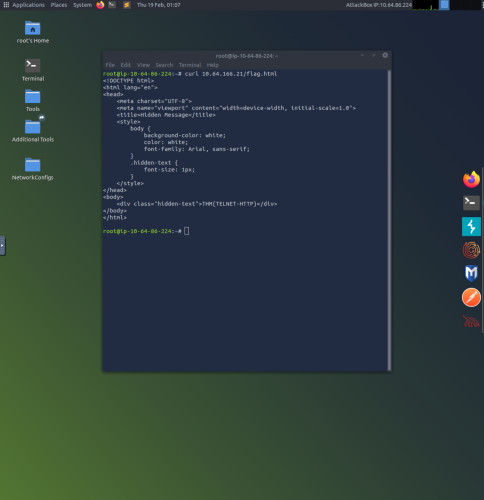
3. In this example the curl command is used in order to print the raw HTML contents of flag.html from the server at 10.64.166.21.
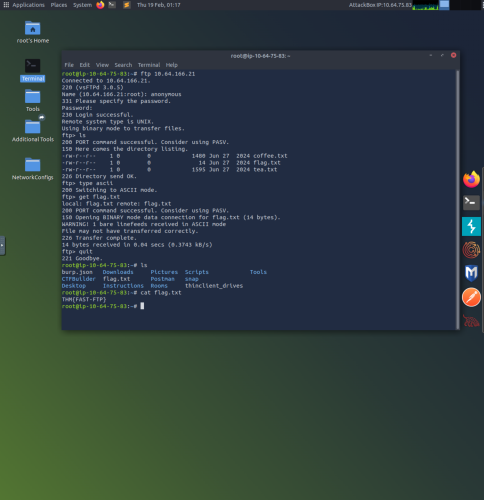
4. The File Transfer Protocol (FTP) is used to transfer files. This example uses “ftp 10.64.166.21” to connect to the file server at 10.64.166.21. After giving the appropriate login credentials, the ls command lists the contents of the directory. The command “type ascii” enables ascii mode in order to access text files, and the “get flag.txt” uses FTP to transfer the flag.txt file. The “quit” command exits FTP, and using the ls command shows the flag.txt file has been successfully transferred. Finally the concatenate command “cat flag.txt” prints out the contents of the desired txt file.
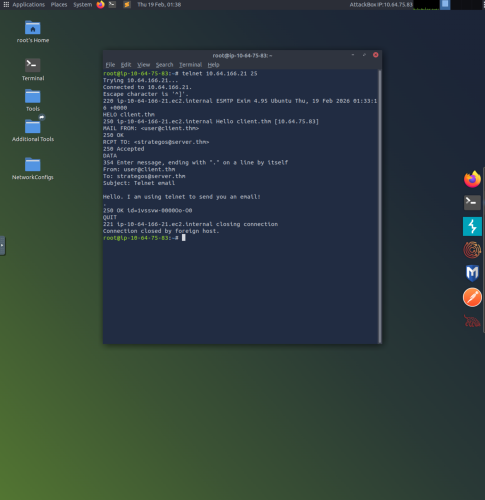
5. This example uses “telnet 10.64.166.21 25” in order to connect to Simple Mail Transfer Protocol (SMTP) on TCP port 25. the “HELO client.thm” is used to initiate an SMTP session, “MAIL FROM; <us**@cl****.thm>” specifies the sender’s email address, and “RCPT TO: <st*******@se****.thm>” specifies the recipients email address. The DATA command is used to begin sending the email, and a single “.” is used to indicate the end of the email message.
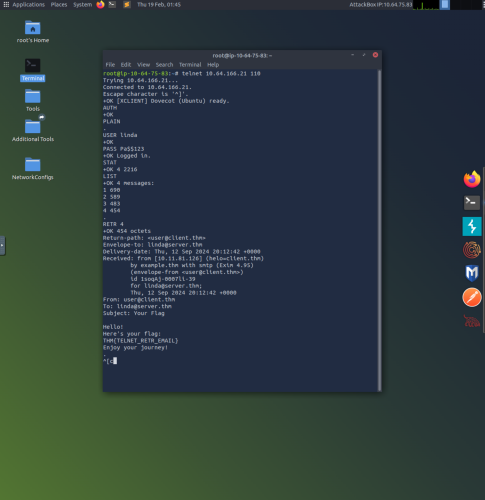
6. This example uses “telnet 10.64.166.21 110” to connect to Post Office Protocol version 3 (POP3) over TCP port 110. Here the “USER linda” command is used to login as linda using “PASS Pa$$123” as the password. Once logged in, the command STAT requests the number of messages, and LIST lists all messages. The “RETR 4” command retrieves the 4th email message and displays its contents.